Guide · 6 min read
From ZIP to online in three steps.
No build tools, no database, no CMS. A template is a folder of HTML, CSS, JavaScript and images — if you can edit a text file and upload a folder, you can deliver it. This is the same guide that ships in every ZIP (START-HERE.md).
Download & unzip
After payment you get a download link by email. Unzip it anywhere on your computer.
What's inside
Every template sits in its own folder, sorted by niche. Single-template purchases contain just the folders you picked.
START-HERE.md     guide (English)
UPUTSTVO.md       guide (BHS)
LICENSE.txt       what you may do
TEMPLATES.csv     list of templates
templates/
  restaurants-inns/
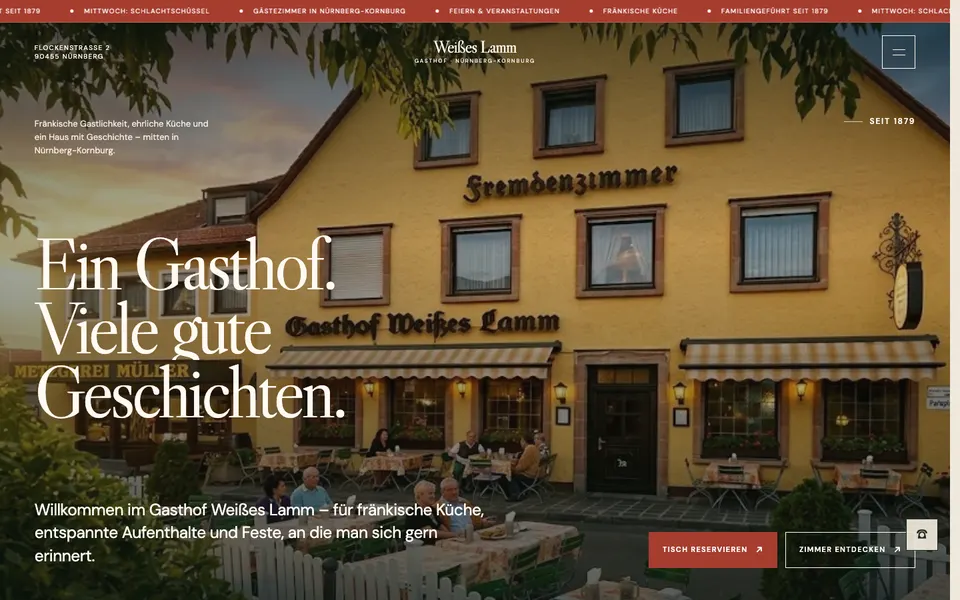
    weisses-lamm/
      index.html    home page
      zimmer.html   …more pages
      assets/img/   all photos
      CREDITS.md    photo sources
Preview it
Double-click index.html to open it in your browser. For the full experience (videos, WebGL effects) use a tiny local server — VS Code's free Live Server extension, or one terminal command:
cd templates/restaurants-inns/weisses-lamm
python3 -m http.server 8000
# open http://localhost:8000Change text, logo, colours & photos
Open the template folder in a code editor — Visual Studio Code is free. Use Find in Files (Ctrl/Cmd + Shift + F) to find every place a name, phone number or e-mail appears.
Name & logo
Search for the demo business name and replace it. To use an image logo, drop the file into assets/img and point the header to it.
<img src="assets/img/logo.svg"
     alt="Client name" height="40">
Colours & fonts
Colours are CSS variables at the top of the stylesheet. Change them once and the whole site follows. Fonts are a single <link> in the <head>.
:root {
  --accent: #b23a2e;   /* brand colour */
  --ink: #1d1a16;
}
Text & SEO
Edit the words between the HTML tags. Then update the <title>, meta description, Open Graph tags and canonical URL with the client's details and domain.
<title>Client — Service in City</title>
<meta name="description"
      content="One clear sentence…">
Photos
Easiest: save the client's photo with exactly the same file name and overwrite the old one in assets/img. Keep a similar shape, ~1600–2000 px wide, JPEG/WebP at ~80% (squoosh.app). Update the alt text.
Contact form
Forms are front-end only. Connect them in minutes — e.g. Formspree (free plan) or Netlify Forms — and remove the demo submit handler if the template has one.
<form action="https://formspree.io/f/YOUR_ID"
method="POST">Put it online
Upload the contents of the template folder so that index.html sits at the top level of the site. Any static host works.
Netlify Drop — no set-up
Open app.netlify.com/drop and drag the template folder into the browser window. You get a live URL in seconds; add the client's domain in the site settings.
Vercel
Install the CLI once, then run it inside the template folder (framework “Other”, no build command).
npm i -g vercel
cd weisses-lamm
vercel
cPanel / classic hosting
Open the File Manager (or FileZilla over FTP) and upload all files and folders into public_html/ — or the folder of the domain. Enable HTTPS.
Also works
GitHub Pages, Cloudflare Pages, S3 — any host that serves static files.
04
Before you hand it to the client
- Name, logo and favicon replaced everywhere (header, footer, titles, legal pages)
- All demo contact data replaced — phone, WhatsApp, e-mail, address, hours, social links, map
- Text, prices and services rewritten for the client — no invented reviews
- Photos replaced where possible, alt texts updated, CREDITS.md respected
- Contact / booking forms connected and tested with a real message
- Legal pages written for the client's country
- <title>, meta description, Open Graph image, canonical URL, sitemap.xml and robots.txt updated
- Tested on a phone, a tablet and a desktop; HTTPS on